

Digital · 14 days free
How to get started
You add us as a co-host on Airbnb, sign in with Vipps or your mobile number, and answer a few questions about the property. Then guest messaging starts.
0 kr for the first 14 days
No card. The trial does not turn into a payment by itself.
Included in the 14 days
- Gjestemeldinger for every property you connect
- 5 Vaskesjekk checks per property
- Guest guide and receipts for every property
- Trip recommendations from Love Northern Lights, with a share of the commission for you
The 14 days cover every service and every property at once. A property you add on day 10 has 4 free days left.
Flere kanaler og prisstyring is not part of the trial.
How it works
Add us as a co-host
In the Airbnb app you invite us as a co-host on the listing, with access to the calendar and messages. The steps are at the bottom of this page.
Sign in
With Vipps or a code by text message. Your name comes from Vipps or the number lookup, so you never type it.
We find the invite
We look for the invite in your name, and you choose which listings we connect.
Tell us about the property
You answer what we need to know about the property, such as check-in and house rules. Then guest messaging starts.
What it looks like
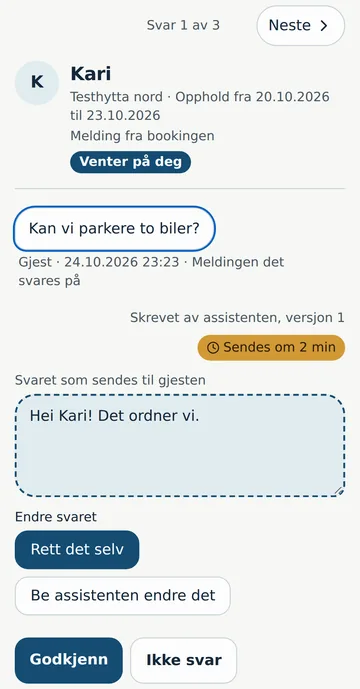
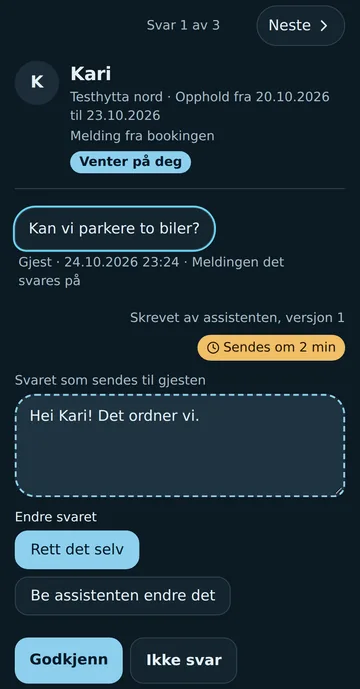
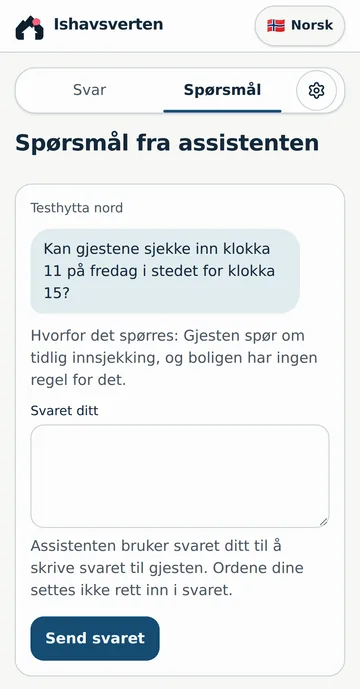
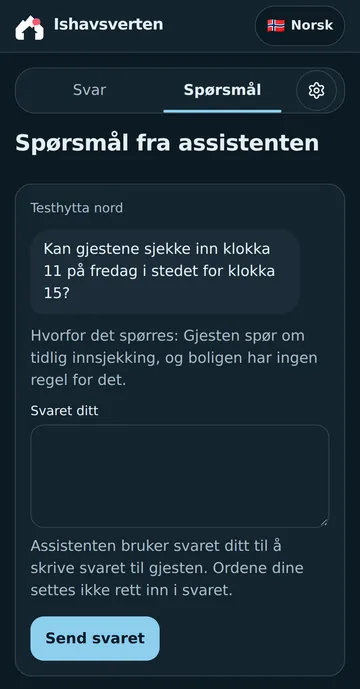
The pictures show how you follow guest messaging in the portal. They are in Norwegian, and the names and the property are test data.
One reply at a time
You see what the guest asked and the reply the assistant wrote. You approve it, correct it yourself or ask the assistant to change it. If you chose a deadline, the reply goes when the time is up unless you stop it.
Questions for you
When the property has no rule for what the guest asks, the assistant asks you instead of guessing. Your answer goes into the reply to the guest.
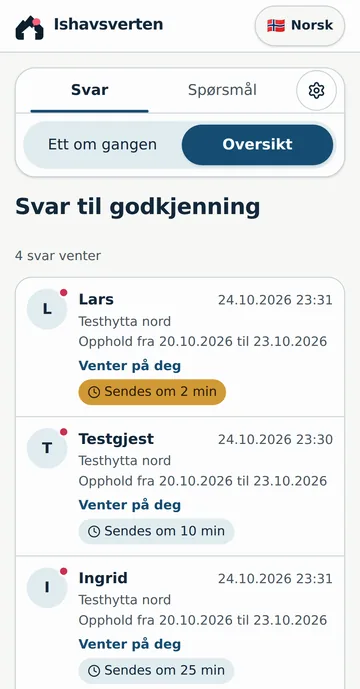
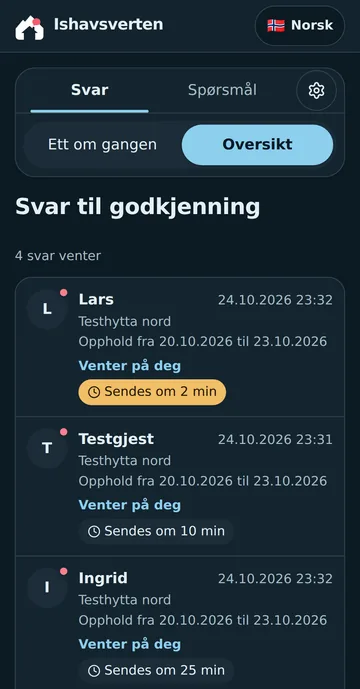
Everything waiting
The overview shows the replies waiting for you, and how long until each is sent.
We have no pictures of Vaskesjekk, the guest guide and receipts here yet. Their pages show how they work: Vaskesjekk, Guest guide, Receipts.
After 14 days
Nothing turns into a payment by itself. You pay only for what you order in the portal.
- You have three days after the 14 days end to order. You do not pay for the days before you order.
- If you do not order, we pause guest messaging for the property. You then reply to guests yourself on Airbnb, and you pay nothing.
- Once you have ordered, you get one invoice a month. Gjestemeldinger is never free after the 14 days.
How to stop
There is no lock-in. You can cancel at any time without giving a reason, for example by email to hei@ishavsverten.no. If you cancel during the free days, the service stops at once.
When you order, you have a 14-day right of withdrawal from the day of the order. Read about the right of withdrawal. Read the terms.
Prices afterwards, per property
- GjestemeldingerOr 2,990 kr for 12 months
- 299 kr per month
- VaskesjekkOr 569 kr a month for 12 checks
- 79 kr per check
- Guest guide and receiptsPlus one more property for each property on Gjestemeldinger
- Free for 2 properties
Do I need a payment card?
No. We do not ask for a card, and you pay nothing during the 14 days.
What happens if I do nothing after 14 days?
We pause guest messaging, and you reply to guests yourself on Airbnb. You pay nothing.
Are replies sent without me seeing them?
You decide. You can approve each reply, let replies go after a deadline unless you stop them, or let them go automatically.
Why do you need to be a co-host on Airbnb?
As a co-host we get the guests' messages and can reply to them. We need the access level Access to calendar and messages.
Can I add more properties?
Yes. Invite us as a co-host on each listing. The 14 days cover all properties at once.
Why Vipps or a mobile number?
We find the invite by your name. The name comes from Vipps or the number lookup, so nobody can connect to your listing with a name they typed themselves.
Add us as co-host on Airbnb
Add us as co-host on each listing you want us to manage. In the Airbnb app:
- 1.
Open the Airbnb app and go to Listings.
- 2.
Open the listing you want us to manage.
- 3.
Tap Co-hosts, then Invite a co-host.
- 4.
Enter our phone number:
902 18 114 - 5.
Choose Calendar and messaging access.
- 6.
Send the invite.